
VR Guide: Disneyland, CA9.0 - Google Play
You'll be able to see results in few seconds.
Publisher Description
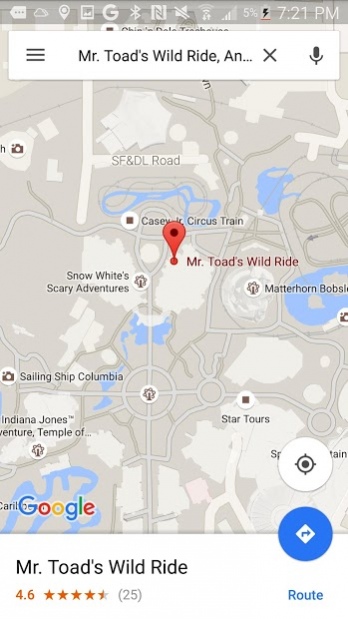
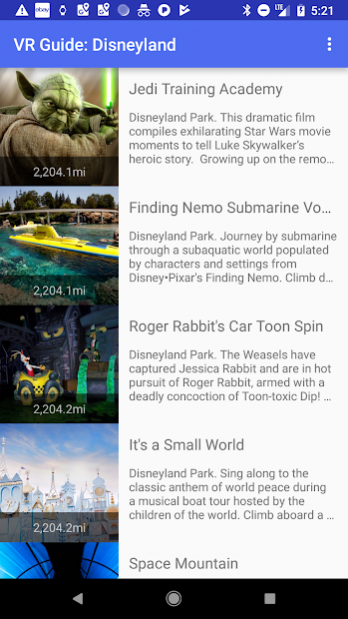
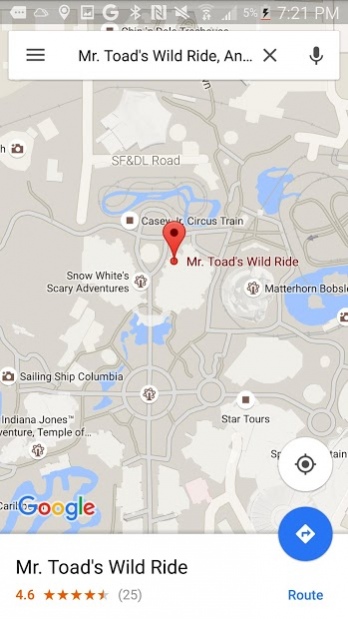
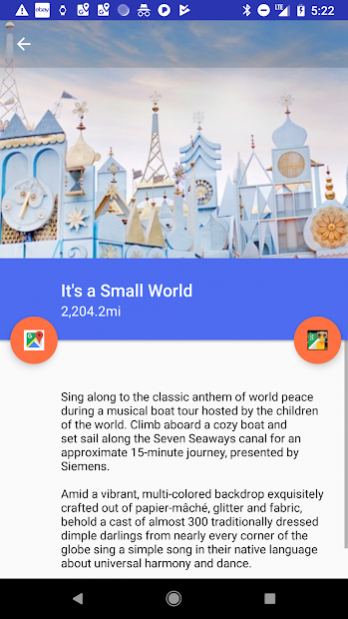
The app is an extensive location based guide to the attractions in Disneyland located in Anaheim, California. The app tells the user their proximity to the different rides in the park, and provides more detailed information on each activity. The specific attractions can be clicked through and are wired with a live Google map, which gives detailed directions to the attraction. If you are standing in line waiting for a ride, the app will give you the proximity of all of the other rides closest to you, sorted from nearest to farthest. Also, each attraction has a virtual simulation so you can see what you are getting yourself into before you go on the rides.
Attractions profiled include: Alice in Wonderland, Buzz Lightyear, California Screamin, Haunted Mansion, Space Mountain, Indiana Jones - Temple of the Forbidden Eye, It's a small world, Matterhorn Bobsled, Monster's Inc., Mr. Toad's Wild Ride, Pirates of the Caribbean, Roger Rabbit's Car Toon Spin, Sleeping Beauty, Toy Story and Twilight Zone Tower of Terror.
Disneyland Park is a Southern California destination where generations of families have visited. Opened in 1955, Walt Disney’s original theme park is divided into 8 themelands—Main Street, U.S.A., Tomorrowland, Fantasyland, Mickey's Toontown, Frontierland, Critter Country, New Orleans Square and Adventureland
You can purchase tickets to the park here: https://disneyland.disney.go.com/tickets/
No pop ups, no ads, no sharing of location or registration. Just a GPS enabled guide to the park.
About VR Guide: Disneyland, CA
The company that develops VR Guide: Disneyland, CA is MotorCo Apps. The latest version released by its developer is 9.0.
To install VR Guide: Disneyland, CA on your Android device, just click the green Continue To App button above to start the installation process. The app is listed on our website since 2018-01-08 and was downloaded 0 times. We have already checked if the download link is safe, however for your own protection we recommend that you scan the downloaded app with your antivirus. Your antivirus may detect the VR Guide: Disneyland, CA as malware as malware if the download link to com.asburymotors.android.disneysocal is broken.
How to install VR Guide: Disneyland, CA on your Android device:
- Click on the Continue To App button on our website. This will redirect you to Google Play.
- Once the VR Guide: Disneyland, CA is shown in the Google Play listing of your Android device, you can start its download and installation. Tap on the Install button located below the search bar and to the right of the app icon.
- A pop-up window with the permissions required by VR Guide: Disneyland, CA will be shown. Click on Accept to continue the process.
- VR Guide: Disneyland, CA will be downloaded onto your device, displaying a progress. Once the download completes, the installation will start and you'll get a notification after the installation is finished.
Program Details
System requirements
Download information
Pricing
Version History
version 9.0
posted on 2018-01-08
Updated imagery
version 6.0
posted on 2016-04-20
Added hotels, some restaurants.
Disclaimer
Official Google Play Link
We do not host VR Guide: Disneyland, CA on our servers. We did not scan it for viruses, adware, spyware or other type of malware. This app is hosted by Google and passed their terms and conditions to be listed there. We recommend caution when installing it.
The Google Play link for VR Guide: Disneyland, CA is provided to you by apps112.com without any warranties, representations or guarantees of any kind, so access it at your own risk.
If you have questions regarding this particular app contact the publisher directly. For questions about the functionalities of apps112.com contact us.
